This was actually pretty trivial since the MDS simulator is pure Java, and a good portion of it is actually just Tomcat. Since Tomcat is not developed by RIM, the chances where pretty good that there where no hard coded backslash directory separators (no, I will never let that go) ;)
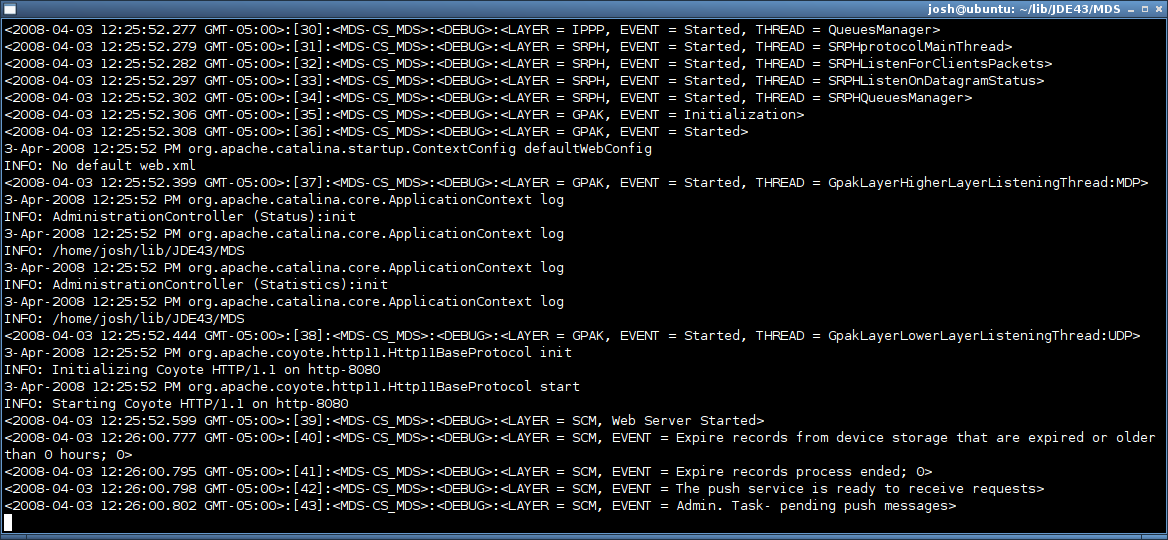
All you have to do is create a new script to replace the various batch files that ship with the MDS simulator. Here is the replacement for run.bat
for i in classpath/* webserver/lib/*; do
MDS_CP=$i:${MDS_CP}
done
java -classpath ${MDS_CP} -Xmx512M -DKeystore.Password=password \
net.rim.application.ipproxyservice.IPProxyServiceApplication \
-log.console.dump
Don’t forget to set the execute permission:
$ chmod +x run.sh
To shutdown MDS, just hit <ctrl>+c in the terminal window to kill the process.
humberto fuentealba August 25th, 2010
Nice work!!!
great and simple script that solved the issue to install java with wine.
jiGGaK August 11th, 2009
That error means the java runtime you are using is older than the java development kit used to compile the MDS simulator.
Open a terminal and run java -version to see your current default java runtime. You probably want it to be 1.6…
There is a tool on OS X to select your default runtime. I don’t recall what it is though, you’ll have to google it.
osXer August 11th, 2009
I get the following on OS X:
Exception in thread "main" java.lang.UnsupportedClassVersionError: Bad version number in .class file
        at java.lang.ClassLoader.defineClass1(Native Method)
        at java.lang.ClassLoader.defineClass(ClassLoader.java:675)
        at java.security.SecureClassLoader.defineClass(SecureClassLoader.java:124)
        at java.net.URLClassLoader.defineClass(URLClassLoader.java:260)
        at java.net.URLClassLoader.access$100(URLClassLoader.java:56)
        at java.net.URLClassLoader$1.run(URLClassLoader.java:195)
        at java.security.AccessController.doPrivileged(Native Method)
        at java.net.URLClassLoader.findClass(URLClassLoader.java:188)
        at java.lang.ClassLoader.loadClass(ClassLoader.java:316)
        at sun.misc.Launcher$AppClassLoader.loadClass(Launcher.java:280)
        at java.lang.ClassLoader.loadClass(ClassLoader.java:251)
        at java.lang.ClassLoader.loadClassInternal(ClassLoader.java:374)
Paul April 3rd, 2008
I do get a fair amount of the following error messages but I can choose to ignore them:
Assertion Failure (DE346) - BlackBerry Device Simulator
-------------------------------------------------------
Semaphore::acquire called on a non-kernel thread
(src/kernel/RealTimeScheduler.cpp:560)
Paul April 3rd, 2008
IT WORKS!!! Am am free of Windows. Watch me soar!!!
Comment submitted