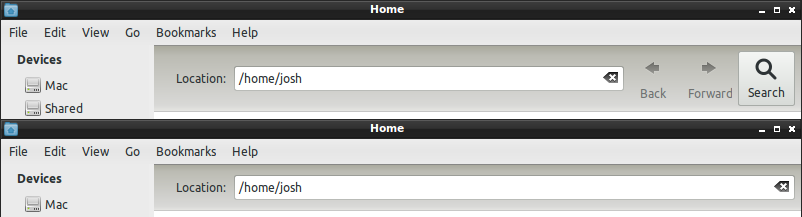
Are you as annoyed as I am about the superfluous screen real estate consumed by the toolbar buttons in Nautilus 3? Of course you are, that’s why the oracle brought you here.
To remove them, modify /usr/share/nautilus/ui/nautilus-toolbar-ui.xml and
comment out all the <toolitem> elements.
<ui>
<toolbar name="Toolbar">
    <!--<toolitem name="Back" action="Back"/>
    <toolitem name="Forward" action="Forward"/>
    <toolitem name="Search" action="Search"/>-->
</toolbar>
</ui>
Antonello November 26th, 2011
Exactly same need here: how to add the “up” button ?
Pawel October 22nd, 2011
Any idea how to ADD buttons, e.g. ‘up’? Adding doesn’t work.
Comment submitted